
Feature Flags: A Tool for Integrating Changes in Your Developments
Do you know what a feature flag is? Learn how to integrate it into your workflow for gradual deployments of new functionalities without fear of "breaking" something in production.
Releasing software with a new functionality that involves significant changes to the user experience, or that directly alters the typical workflow of our application, generates doubts and a lot of nervousness when it’s time to push it to production. If something goes wrong, the first instinct is to roll everything back to how it was before. But what if we could simply “deactivate” that functionality temporarily while we investigate what happened, without needing a full rollback? Or what if we could only show it to a specific group of users? In a nutshell, this is what a Feature Flag or Feature Switch allows us to do.
What are Feature Flags or Feature Switches?
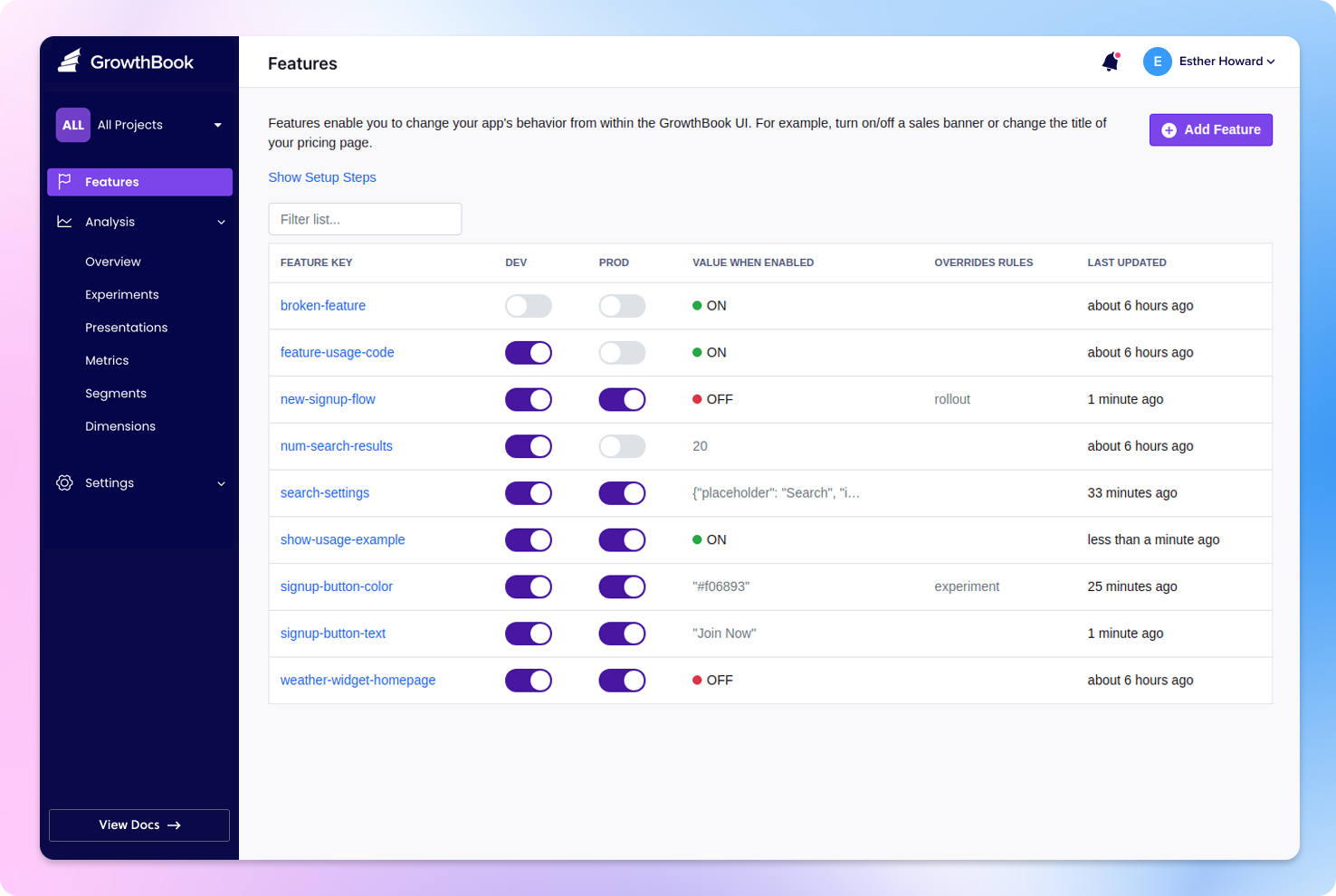
In simple terms, a “Feature Flag” is like a toggle switch that can be turned on or off to control the visibility and behavior of specific features within an application. These flags are typically controlled externally, often through a configuration file or a web-based control panel. They allow developers to change the state of a feature without deploying new code.
Why are “Feature Flags” important?
“Feature Flags” offer several key benefits:
- Continuous Integration and Continuous Deployment (CI/CD): Feature Flags enable safer and more frequent deployments. They allow features to be isolated and released when ready, rather than waiting for a large launch. They can even be already deployed in production but only available to a small group of users, allowing for testing in a “focus group” manner and iterative improvements before being released to all users.
- Risk Management: Feature Flags reduce the risk associated with launching new features. We can hide a feature if it’s causing unexpected problems, ensuring a smooth user experience.
- A/B Testing: With Feature Flags, you can implement new features for a subset of your users, allowing you to gather feedback and data before making them available to everyone.
- Dark Launches: You can deploy a feature but keep it hidden, monitoring its performance and stability before revealing it to users.
- On-the-Fly Configuration: They provide a way to make configuration changes without having to redeploy the application, which is especially valuable in production environments.
Problems Solved by “Feature Flags”
- Rollback Capabilities: If a feature introduces critical bugs, you can quickly disable it using Feature Flags, avoiding a full rollback of your entire application.
- Reduced Time to Market: Feature Flags make it possible to launch new features or updates faster and more frequently.
- User-Centric Development: You can prioritize user feedback and preferences by tailoring the user experience based on their behavior and needs.
- Enhanced Experimentation: A/B testing and gradual rollouts enable data-driven decision-making, which can be crucial, especially if the team is not yet fully accustomed to using CI/CD tools.
A Real-World Use Case in E-commerce: Recommendation Engine
Imagine you’re working on an e-commerce website, and your team has just developed a sophisticated recommendation engine. This engine provides product recommendations to users based on their browsing history, purchasing habits, and preferences. It’s a feature that can significantly enhance the user experience and increase sales. However, there are some potential risks in its implementation.
How “Feature Flags” are Applied:
- Gradual Rollout: Using a “Feature Flag,” we can gradually roll out the recommendation engine to a small subset of users. You want to ensure that the new feature doesn’t cause unexpected issues for your users. By initially exposing it to only 5% of your user base, you can monitor its performance and gather feedback.
- A/B Testing: To evaluate the impact of the recommendation engine on sales, you can set up an A/B test. Half of your users will see the recommendations, and the other half won’t. With Feature Flags, you can easily split your user base and measure conversion rates and user satisfaction.
- Real-Time Configuration: Imagine there’s an issue with the recommendation engine. Perhaps it’s recommending incorrect products, which could lead to a drop in sales. With a “Feature Flag,” you can instantly turn it off for all users until the problem is resolved. This prevents a potentially negative impact on your business.
Feature Flags not only guarantee a smoother and more secure implementation of the recommendation engine but also allow you to make data-driven decisions and adapt to the characteristics of your target audience.
How can I implement it?
There are many ways to do it, and it will depend on available resources and the team’s working style. The simplest implementation might involve defining a public file where the status of the FS is indicated, but this doesn’t enable A/B testing and is quite “rustic.”
In my professional experience, the three most common approaches are:
- Implementing a small FS engine that allows activating or deactivating functionality with a click, using a variable in the URL, or even setting rules that activate or deactivate the feature depending on the request.
- Installing an on-premises tool that covers all typical FS management features. Many open-source projects already provide this solution, and it’s just a matter of installing and configuring.
- Finally, a very quick and “cost-effective” option is often to use a SaaS tool that exposes the status of each FS via an API. From your code, you simply access the state of each flag, and that value is cached for a determined period.
Some interesting providers that offer free or very low-cost options:
It’s important to remember that Feature Flags should have a lifespan. Once they have served their purpose, they must be “cleaned up” and removed from the code to avoid maintaining unused code. This also needs to be planned for, establishing cut-off dates for when support for a specific functionality will end.